# Enable & disable call recording
You can use Toky as an automatic call recorder app for inbound calls. This feature can be enabled or disabled easily.
**Observation:** only inbound and outbound calls involving the telephone network can be recorded. Web calls (Internet to Internet) can't be recorded.
* [For inbound calls](#for-inbound-calls)
* [For outbound calls](#for-outbound-calls)
#### For inbound calls
1\. Go to the [Phone Numbers menu](https://app.toky.co/business/phone_numbers).
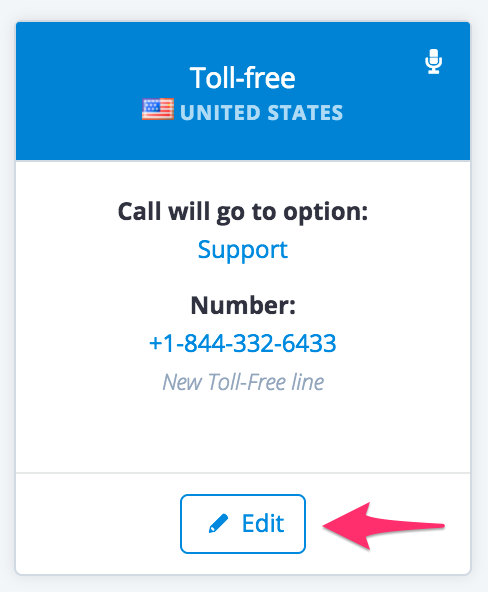
2\. Select the number you would like its calls to be recorded, and click on **Edit**.
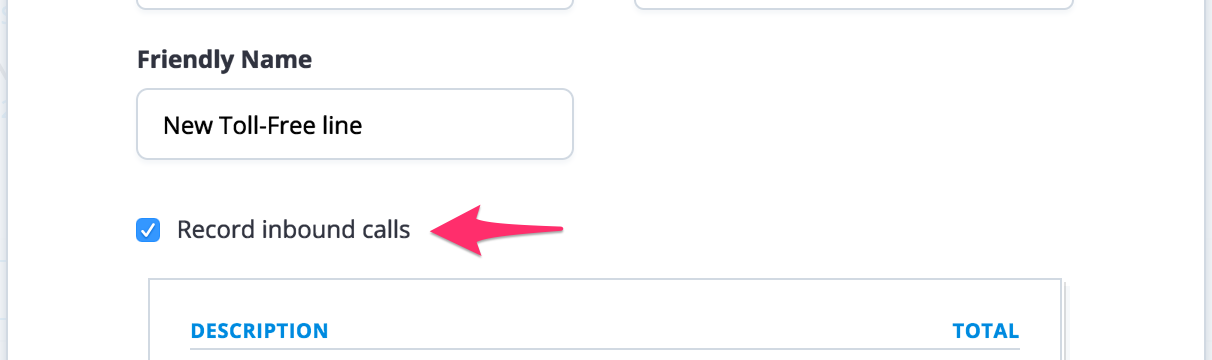
3\. Check or uncheck on **Record inbound calls** if you want to enable or disable call recording on this number.
4\. Click on **Save Changes** to finish.
#### For outbound calls
1\. Go to the Agent's menu.
2\. Select the agent you would like their calls to be recorded, and click on **Edit**.
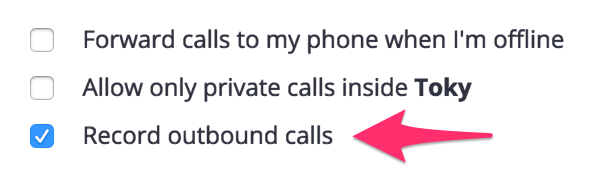
3\. Check or uncheck on **Record outbound calls** if you want to enable or disable call recording of this agent.
4\. Click on **Save Changes** to finish.